

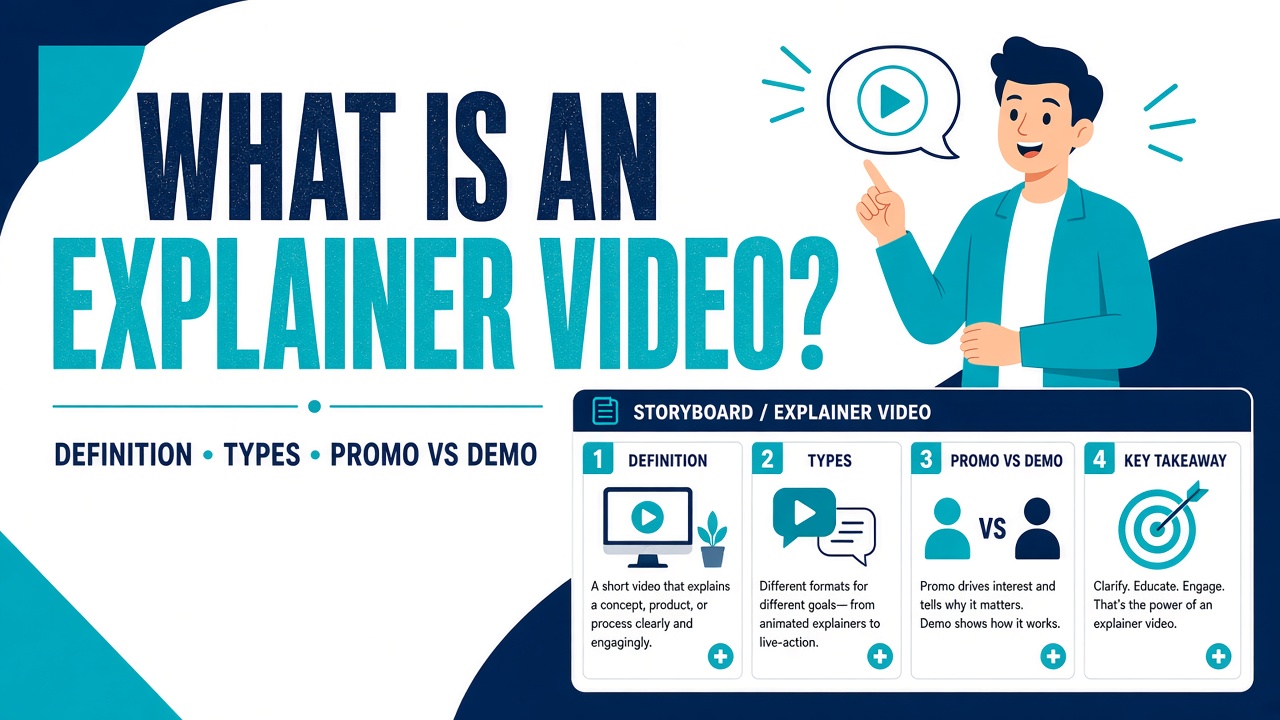
What Is an Explainer Video? (Definition, Types & When to Use One)
If you have ever tried to explain a product in a sales deck and watched eyes glaze over by slide four, you already know the job an explainer video is hired to do: make one idea land, then point to a next step — not “look cinematic” or “use every feature we shipped.”
This guide covers the definition, formats, a decision table versus promo and demo, when you actually need one, and how we make them at Animation Explainers. Long hub: explainer videos guide.
What is an explainer video? (short definition)
An explainer video is a short film — typically 60 to 90 seconds — that explains one product, service or idea in plain language, usually with a voiceover and animation. It turns a pitch deck or product page into a single visual argument so a busy viewer can grasp the offer and know what to do next.
That is the cite-ready definition. Length and style flex; the job does not. One idea, a clear story, a finish that does not fizzle.
Why explainer videos work for B2B
B2B buying is rarely impulse. Buyers need to recognise a problem, see a solution, and feel confident enough to book a call or start a trial. Written copy can do that, but it asks for time most homepage visitors will not give.
An animated explainer helps because it:
- Controls the narrative. You set the order: problem → solution → proof → call to action.
- Makes abstract products concrete. Software, platforms and processes are hard to “show” with a photo. Animation visualises workflows and outcomes without filming a warehouse.
- Travels well. One master can sit on a homepage, landing page, LinkedIn, YouTube, sales email and booth loop.
- Stays on-brand. Characters, colour and tone match guidelines more tightly than a rushed live shoot.
- Scales across markets. Swap the voiceover language; keep the visuals — often cheaper than reshooting live action per region.
SaaS teams lean on this heavily — see SaaS explainer videos. Healthcare and life sciences often need the same clarity with higher visual fidelity; that is where medical animation earns its keep.
No magical conversion percentages required. Honest script, short story, clear CTA — miss those three and no style will save you.
Explainer vs promo vs demo vs product demo
“Explainer” is a job, not a look. Promo, demo and product demo are different jobs. Mix them up and you either bore cold traffic with a click-path, or you spend a launch budget on vibes when the buyer still cannot say what you do.
| Explainer | Promo / brand film | Demo | Product demo | |
| Job | Make one idea understood, then a next step | Make people feel something about the brand or campaign | Show a workflow or pitch as it actually runs | Show the product UI / features in use |
| Typical length | 60–90 seconds | 15–60s for ads; longer for brand films | Often 2–10 minutes | 60 seconds to several minutes |
| Hero asset | Script + visual argument (often animation) | Look, music, talent, campaign hook | Presenter, customer or AE walking through | Screen, cursor, sometimes VO |
| Best home | Homepage, paid landing, sales opener | Social, campaign, brand hub | Late-funnel sales, webinars | Product page, onboarding, help |
| Fails when | You cram the whole catalogue in | The viewer still cannot explain the offer | You play it to people who are not ready | You use it as a cold homepage story |
They are cousins, not substitutes. Plenty of teams need an explainer and a product demo: explainer on the homepage, demo deeper in the funnel. A promo can sit around a launch. A twelve-minute screencast tutorial belongs in the help centre, not in the hero.
If you catch yourself saying “we need a video,” pause and pick a column. Brief, length and budget all follow from that.
When a business actually needs one (and when it does not)
You probably need an explainer if:
- A new product, feature or category still takes a clever colleague fifteen minutes to describe
- The homepage or paid landing has a complex offer and a bounce problem that copy alone is not fixing
- Sales repeats the same pitch on every call and would rather send a 90-second film first
- You are rolling out across markets and need one visual system plus several languages
- An internal change programme needs clarity without a lecture
Wait — or pick a different format — if:
- Positioning is still changing weekly. Lock the message before you lock pictures.
- Stakeholders cannot agree on a single CTA. “Learn more, book a demo, and download the white paper” is three videos pretending to be one.
- You actually need a tutorial, testimonial reel, or feature walkthrough, not a story
- You only want “something animated” with no audience or outcome defined
- The product will be unrecognisable in six weeks and you will not treat the film as a snapshot
A studio can help sharpen a fuzzy brief. It cannot invent strategy you do not have.
Formats: animation, live action and screencast
Tech blogs often list eight “types”: 2D, whiteboard, motion graphics, 3D, live action, screencast, tutorial, product demo. Useful as a menu. Confusing as a brief.
Treat the last few as formats for the same job — explaining — then choose what fits the buyer and channel.
| Format | What it is | When it earns its place | Honest limit |
| Custom animation | 2D, whiteboard, motion graphics, 3D, hand-drawn — built for the brand | Abstract products, processes, multi-market reuse, tight brand control | Costs more than a template; worth it when the film is the face of the offer |
| Live action | People, places, real environments | Founder, clinician or customer is the message; physical proof | Reshoots, locations, localisation; harder to update |
| Screencast | The UI as it is, often with a cursor and VO | Tutorials, onboarding, late-funnel product demos | Cold traffic wants the why, not a click-path |
We make custom animation. We are not a Camtasia shop, and we will not pretend a 60-second brand film is the same job as a ten-minute product tutorial. Need the tutorial? Record it in-house or with a demo specialist. Need a homepage or launch film that makes an abstract B2B product make sense? That is the work.
Templates versus studio: DIY template tools are fine for a social test or an internal draft. They are a poor public face for a serious B2B product — stock characters, limited motion, a look half your category already rented. Custom studio work costs more because every asset is yours, which also makes localisation and future edits cleaner. See the difference in our portfolio.
Types of animated explainer (and when each fits)
Once you have chosen animation, style is how it looks. Brand, audience, complexity and budget decide. Our animation styles overview covers the wider menu; marketers ask about these most.
2D animation
Flat characters, scenes and icons. Versatile, readable, and usually the workhorse for product and brand explainers — SaaS, fintech, HR tech and most B2B services.
Whiteboard animation
A hand draws diagrams and icons as the voiceover talks. Educational and low-distraction — ideal for processes, training and “teacher at the board” concepts. Often toward the more accessible end of a studio budget. More: what is whiteboard animation?
Motion graphics
Typography, charts, UI elements and abstract shapes moving with the story. Excellent when the product is the interface, or you want polish without character comedy.
3D animation
Depth, lighting and modelled environments — physical products, machinery, spaces, or (in healthcare) anatomy and devices. More labour-intensive, so it sits higher in the cost conversation.
Hand-drawn / illustrative
Frame-by-frame or heavily illustrated 2D with a crafted line. Strong for founder stories and purpose-led brands. See hand-drawn explainer videos.
Product-focused explainers
Sometimes the “type” is purpose, not style: a product explainer video zeroes in on how the thing works and who it is for, whether visuals are 2D, motion graphics or a hybrid.
You can mix styles (e.g. motion graphics for UI inside a 2D piece) as long as the overall look feels intentional.
How long should it be? (one idea, then stop)
In our experience, an effective marketing explainer should be between 60 and 90 seconds. Long enough for problem, solution and CTA; short enough that people finish it on a homepage or LinkedIn feed.
One idea per video. If you cannot say the point in a sentence, you do not have an explainer yet — you have a brochure with a voiceover. The visual argument should resolve: here is the friction, here is what changes, here is what to do. Catalogue tours belong in a demo.
- Under 60 seconds can work for a very simple offer or a social cut-down. Treat 30 seconds as a ruthless edit, not a second strategy.
- 60–90 seconds is the homepage / launch sweet spot.
- Longer than 90 seconds is fine for training or multi-step demos — a different brief, not a stretched spot.
If everything feels essential, the script needs another pass, not another thirty seconds.
Mute, captions, and where the video lives
A lot of B2B video is watched with the sound off — LinkedIn especially, and plenty of homepage autoplay. Design for mute first: captions, titles and on-screen labels should carry the story without the VO. Then add a human voiceover for people who unmute. Captions are how the idea survives the feed.
Where it should live (one master, several homes):
- Homepage hero — the “what is this?” story for first-time visitors
- Paid landing pages — same idea, tighter CTA, match the ad promise
- Product or solutions pages — a product explainer angle
- Sales decks, emails and proposals — send before the call
- Social and YouTube — native captions; square or vertical cuts if scoped
- Events and booth loops — often mute-first, so the first three seconds must read as a poster
Do not ask one 90-second film to be a tutorial, a testimonial and a brand anthem. Cut-downs are cheap compared with a confused master.
Script, story and CTA: what makes one “good”
Fancy animation on a muddy script is just expensive confusion.
Start with audience and outcome
Who is watching, and what should they do after? Book a demo? Start a trial? Write that outcome down before a single line of voiceover.
Use a simple story spine
- Who — the viewer (or a character standing in for them)
- What — the pain or friction
- How — your product or service solving it
- Why you — differentiation without a feature dump
- CTA — one clear next step
Clarity in the opening seconds; a finish that does not fizzle.
Keep the voiceover human
Speak like a smart colleague, not a press release. Cut jargon unless your audience lives in it. Read the script aloud; if you trip, rewrite.
End with a call to action
- Kick-off — Product, audience, goals, brand and constraints.
- Script — Problem, solution, proof points, CTA. You sign off.
- Storyboard and style — Keyframes and look direction before it moves.
- Voiceover — Cast and record against the locked script.
- Animation — Boards to life, timed to VO and music.
- Delivery — Final review, agreed tweaks, files for web, social and sales — including captions when scoped.
You stay in the loop at each major gate. That is how we avoid discovering a wrong tone after weeks of animation.
For proof, skip invented client counts — watch the work in our portfolio (software, fintech, sport, healthcare and more). Missing a style or sector? Say so on the brief.
What does an explainer video cost?
Studio projects commonly sit in the $6,000 to $35,000 and beyond band — length, style, custom assets, revisions, VO and timelines. Whiteboard and straightforward 2D tend to sit lower than custom 3D or medical; templates and DIY sit outside it.
For variables and comparisons, read how much an explainer video costs.
Soft next steps
Browse our portfolio, skim the cost guide, or contact us with a short brief and book a meeting from that page. We will say honestly whether an explainer is the right tool — and which style fits.
FAQ
What is an explainer video?
An explainer video is a short film, usually 60–90 seconds, that explains one product, service or idea using a clear script, voiceover and visuals (often animation; sometimes live action or a hybrid). Its job is to help a busy viewer understand the offer quickly and take a defined next step, such as booking a demo or starting a trial.
How long should an explainer video be?
Most marketing explainers work best at 60–90 seconds. That length fits homepage attention spans while leaving room for problem, solution and CTA. Keep one idea per video. Training or deep-dive pieces can run longer; treat them as a separate brief.
How much does an explainer video cost?
At Animation Explainers, projects typically fall between $6,000 and $35,000 and beyond, depending on style, length, custom work and delivery needs. See our explainer video cost guide for what drives the quote up or down.
What types of explainer videos are there?
The job is explainer; the format can be custom animation, live action or screencast. Common animation styles include 2D, whiteboard, motion graphics, 3D, and hand-drawn. Purpose-led variants include product, SaaS and medical explainers. Explore animation styles.
Explainer vs promo vs demo — which do I need?
An explainer makes one idea understood. A promo sells a feeling. A demo or product demo shows the thing working, often in the UI. Use an explainer early (homepage, launch, sales opener); use demos when prospects are ready to evaluate features. They stack well; they do not replace each other.
Explainer video vs live action — which should I choose?
Choose animation when the product is abstract, you need flexible localisation, or brand consistency across markets matters. Choose live action when real people, places or customer proof are the story. Many campaigns use both. AE’s offer is custom animation, not live production.
Who needs an explainer video — and who does not?
Any organisation that struggles to explain a non-obvious offer quickly — SaaS, professional services, healthcare, fintech, education, and internal L&D. Skip it (for now) if positioning is still mushy, the CTA is a committee argument, or you actually need a tutorial rather than a story.
How does Animation Explainers produce an explainer video?
We move from kick-off to script, storyboard and style, voiceover, animation, then delivery — with client sign-off at each major stage. Captions and channel cuts are part of a proper finish when they are in the brief. See the animation process page and the portfolio. Ready to talk? Contact us and book a meeting from that page.